IRAT and GRAT online — no paper, no manual scoring
An online platform for the full TBL cycle, plus essays with AI grading in Kazakh, Russian and English. Sign up in a minute: your email and a code from the message.
Free plan: 1 course, up to 30 students, no card required.
Real interface, demo data
TBL without the routine
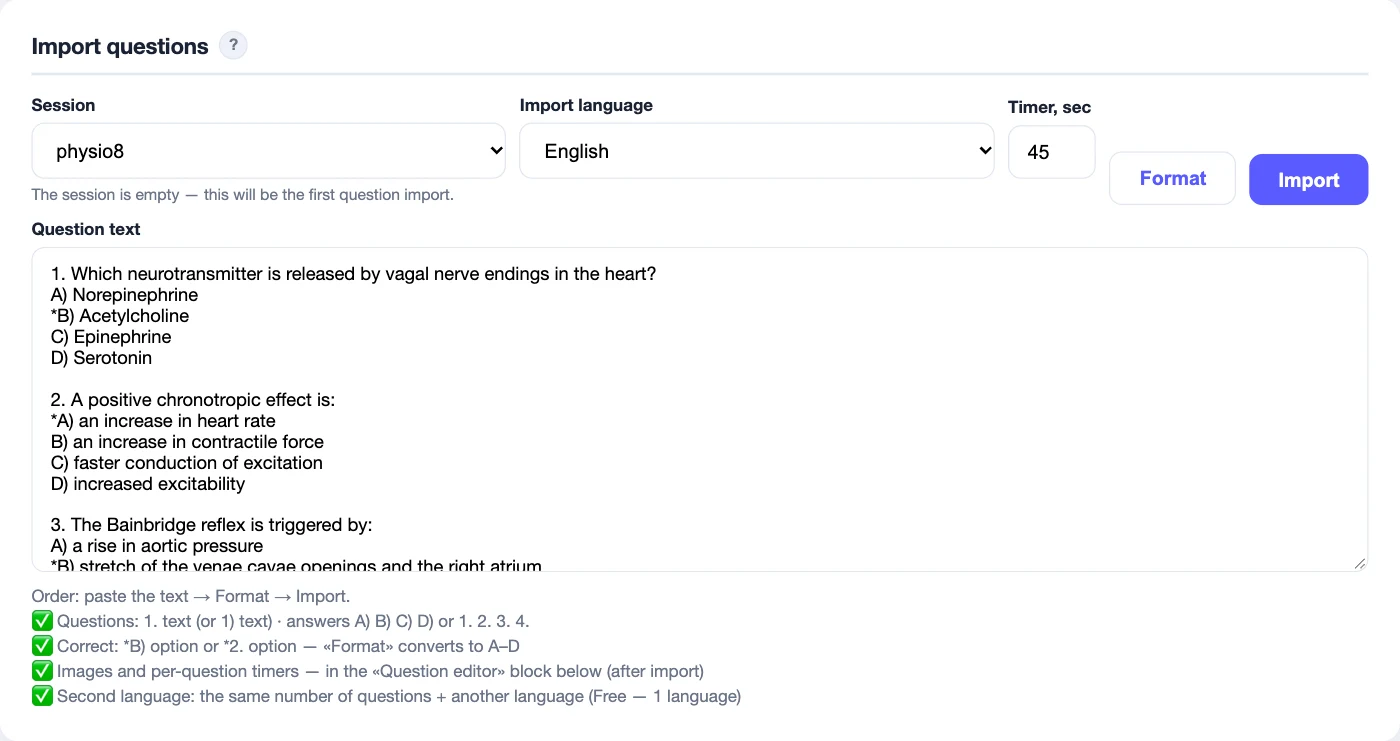
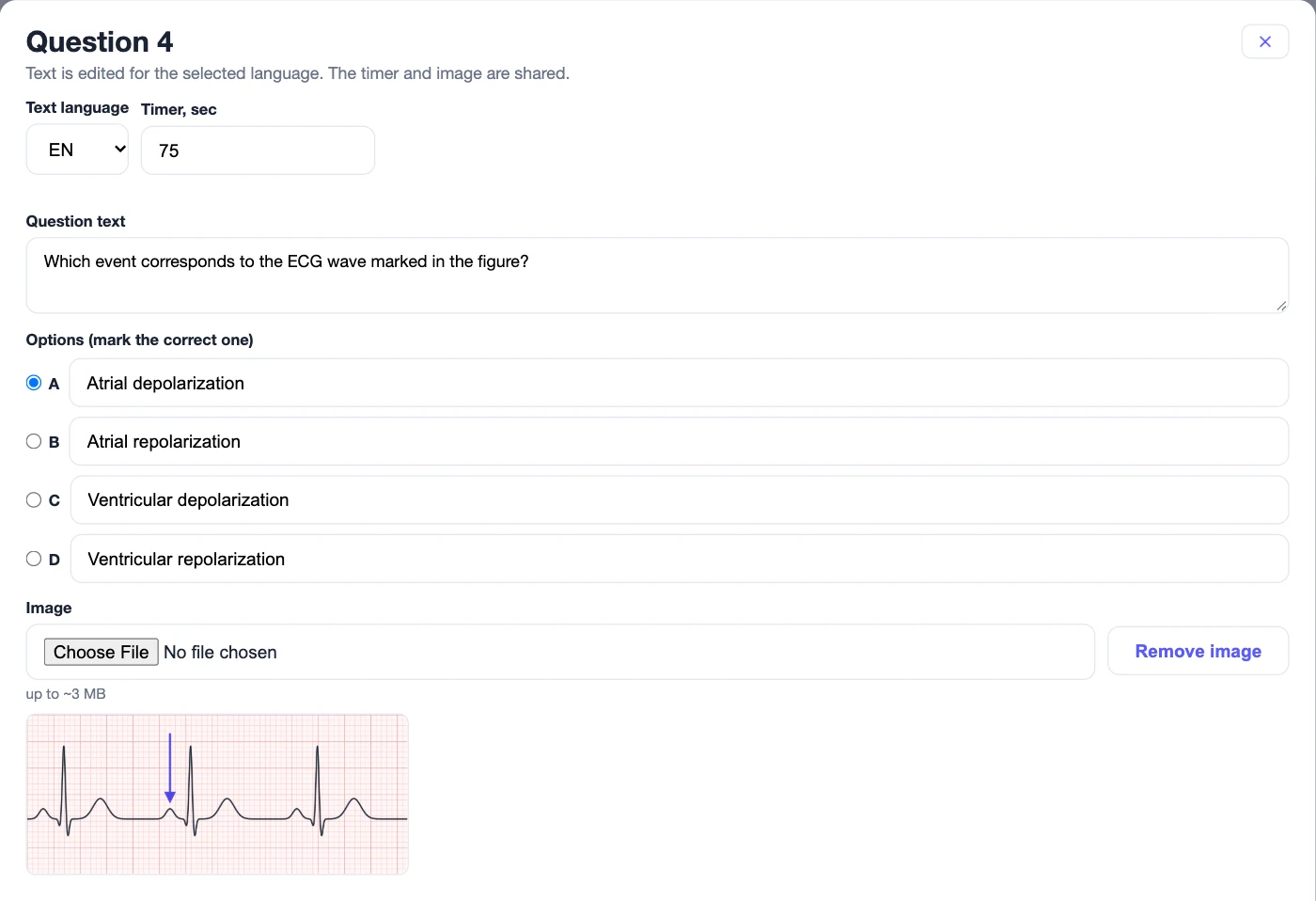
IRAT/GRAT tests on students' phones, with proctoring
IRAT is the individual readiness test before class. GRAT is the same test solved by the team together: 3–2–1–0 points per question depending on the attempt.
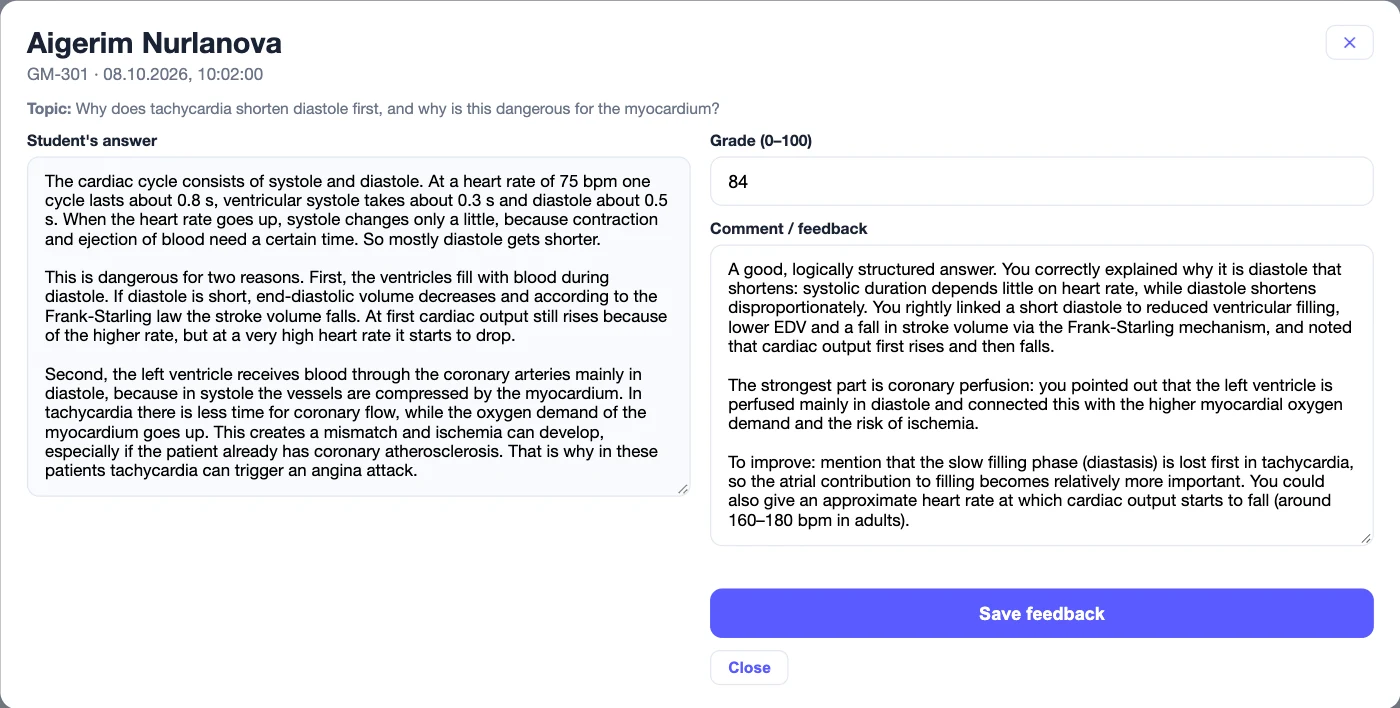
Essays with AI grading and proctoring
AI grades against your criteria and writes feedback to the student. You have the final say: the grade and the comment can be edited.
Final score by formula
Set the weights of IRAT, GRAT, team tasks and essays, and the final grade is ready. Copy it to your gradebook with one click.
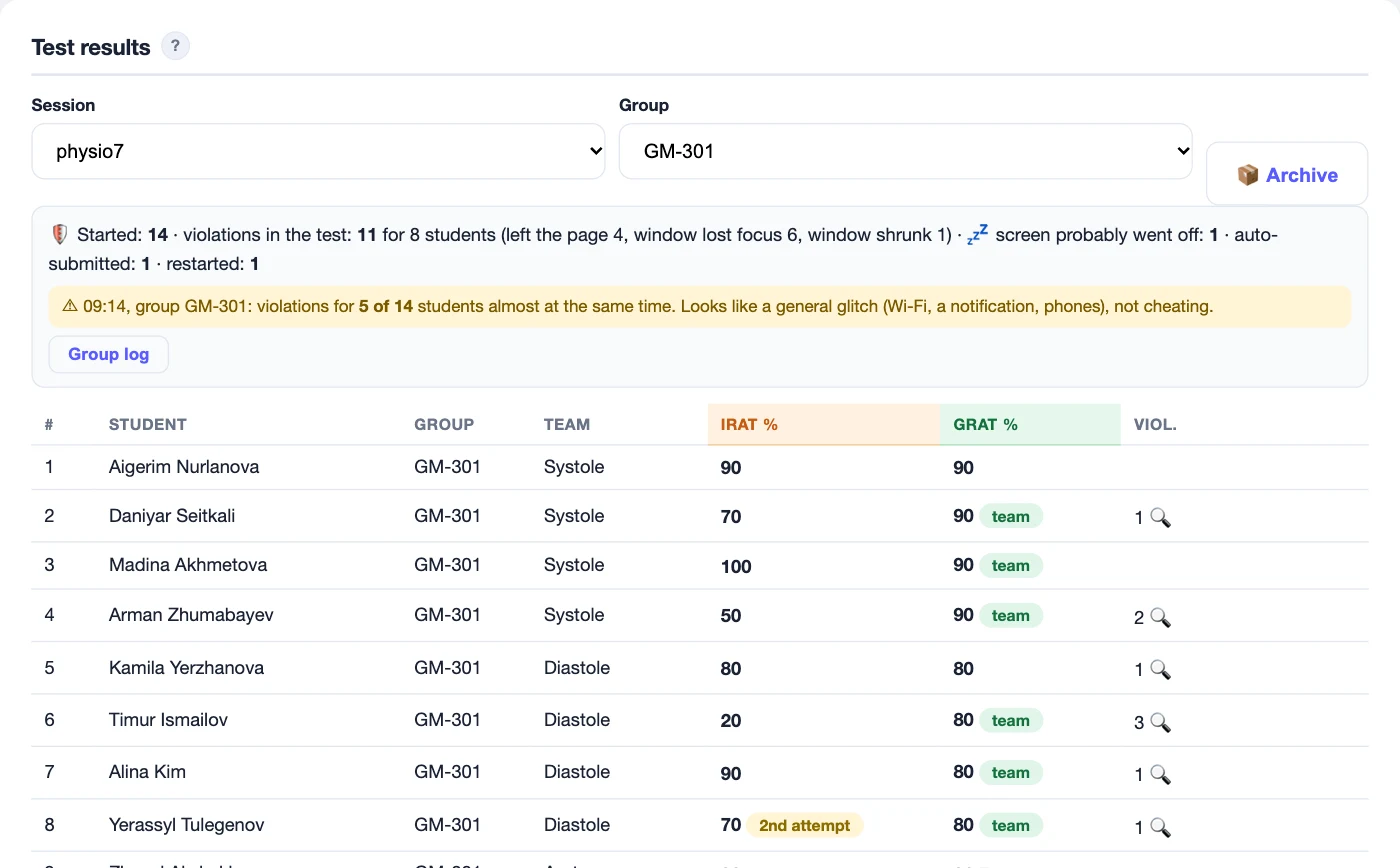
Teacher dashboard
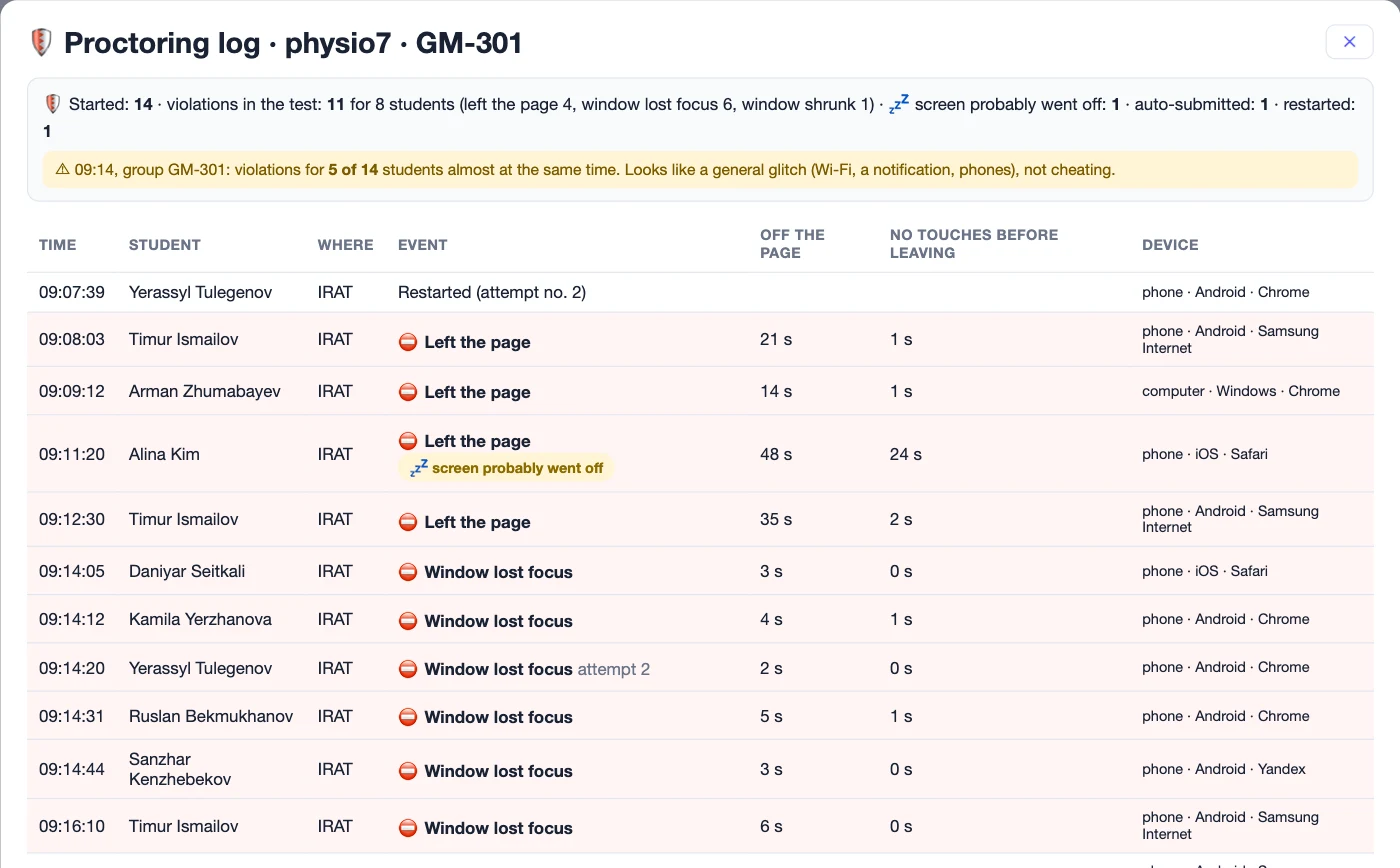
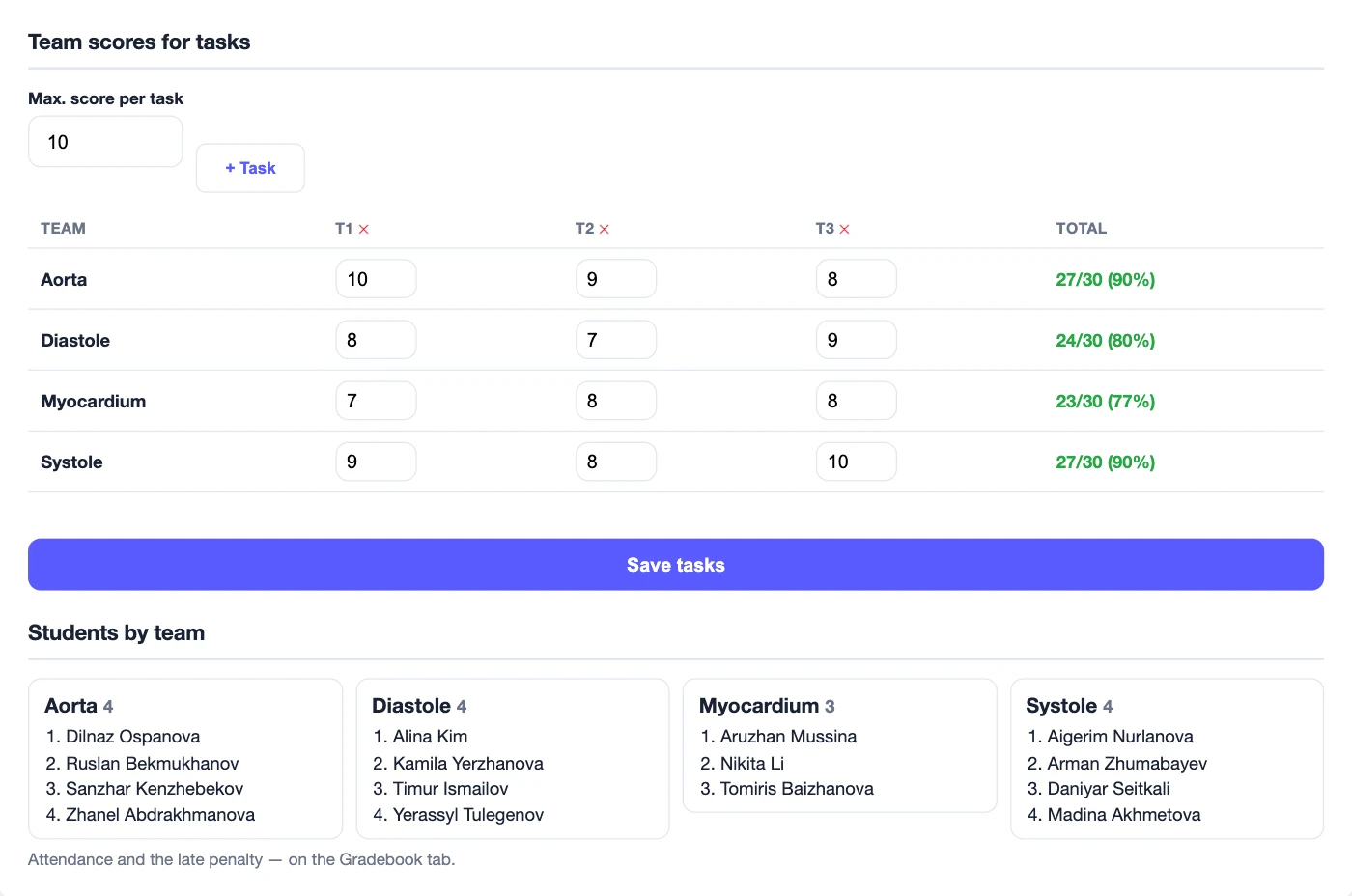
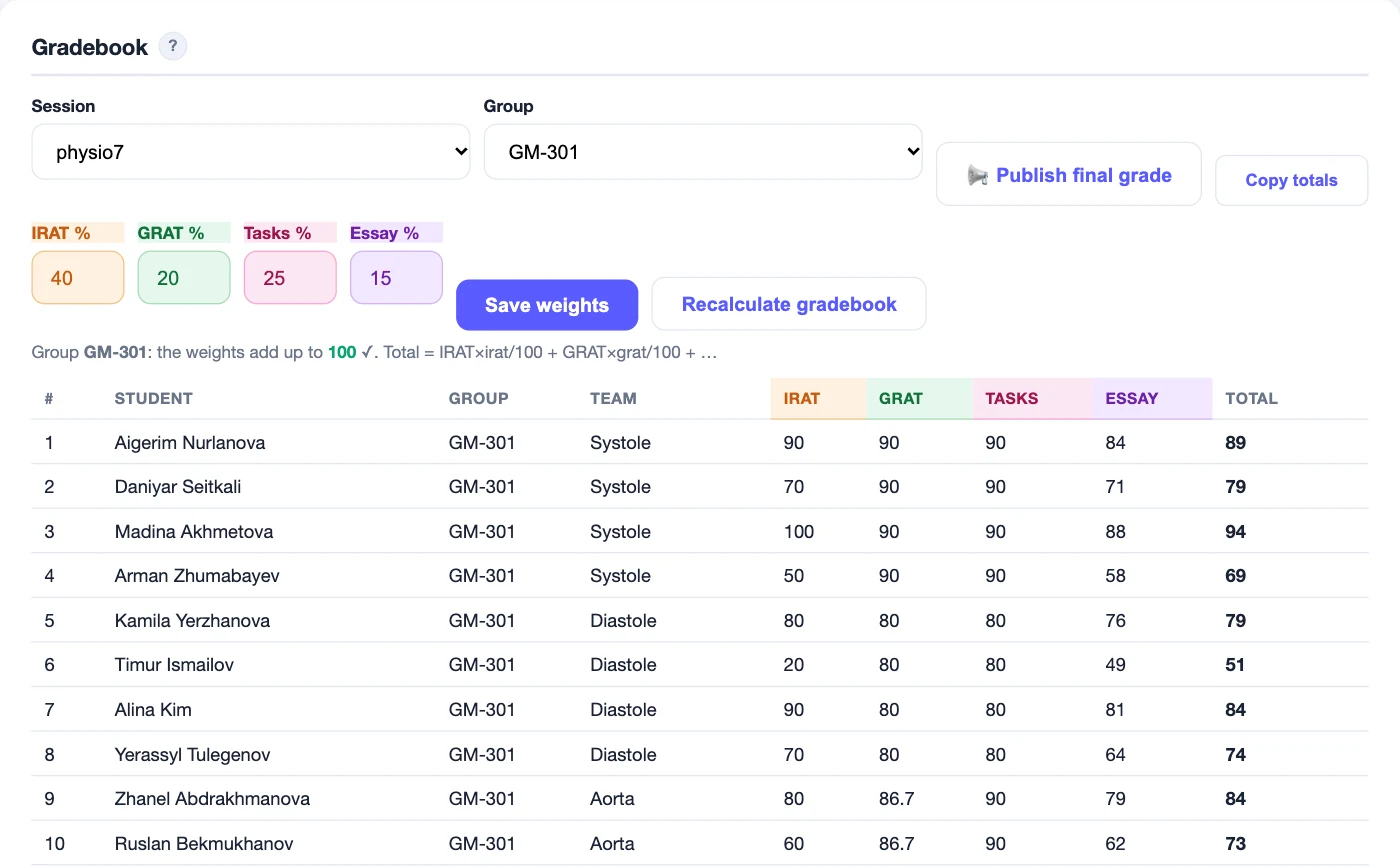
Real interface, demo data
Also: dashboard and student portal in Kazakh, Russian and English · install on a phone without an app store · export data to Excel · server in Kazakhstan
Fair tests in the classroom
The system records leaving the page and switching tabs, screen changes and text pasting — right in the browser on a phone or computer.
The teacher sees the type and number of violations, the “not full screen” and “another device” flags, and every attempt in essays.
- IRAT / GRAT test
- 1st violation — a warning
2nd — minus 1 point
3rd — the test is submitted automatically (in IRAT the score is halved) - Essay
- Disqualification for any violation — the text written so far is submitted immediately
Important: proctoring sees only the screen of the device the student is taking the test on. The system will not notice a second phone, a laptop, notes or a neighbour's hint. That is why proctoring is not designed for remote assessment or for large lecture halls where the teacher cannot see every student. It works in a regular class group, with the teacher in the room watching for other sources of information.
Start free. Pay when TBL becomes part of your course
One AI check = one essay by one student.
Free
Try TBL with one group
- 1 course, up to 30 students
- Unlimited sessions and tests
- Questions in 1 language
- 30 AI checks per month — first year
Pro
TBL in several groups, with essays
- All courses and groups
- Questions in several languages
- 300 AI checks per month
- ≈ 6 groups of 12 students, an essay every week
Max
Full teaching load, TBL in every group
- Everything in Pro
- 800 AI checks per month
- ≈ 15 groups of 12 students, an essay every week
Pay for 1, 3, 6 or 12 months: in the dashboard, on the Profile tab, choose a plan and a period and send a request. Prices are in Kazakhstani tenge.
Monthly AI checks do not carry over to the next month. After the first year on the Free plan, tests, tasks and the gradebook stay free; AI grading is available on Pro, Max or with a pack.
Frequently asked questions
Is proctoring suitable for remote exams or large cohorts?
No. Proctoring monitors only the screen of the device the student works on: leaving the page, switching tabs, exiting full screen, pasting text. It cannot see a second phone, a laptop or notes. So assessment should take place in a classroom where the teacher can see every student. Without extra supervision, TBLdesk proctoring is not suitable for remote exams or large halls.
Do students need to install anything?
No. A student scans the teacher's QR code and works in the phone's browser. If they like, they can add the portal to the home screen.
How does AI grade essays, and can it be trusted?
AI grades the work against the criteria you set and writes feedback. It is an assistant, not a replacement for the teacher: any grade and comment can be changed by hand.
What if the internet goes down during class?
An essay draft is restored after signing in again, and the teacher sees how many times this happened. For other cases, see the guide.
Where is student data stored?
On a server in Kazakhstan. For AI grading, the essay text (without the student's name or email) is sent to Google Gemini for grading only. Details are in the terms of use.
How is the Free plan different from the paid ones?
Free gives you one course of up to 30 students: tests, tasks and the gradebook with no time limit, and 30 AI essay checks per month during the first year. Pro and Max remove the limits on courses and groups and include 300 or 800 AI checks per month.
Can't sign in? Write to us
We will reply to your email.
- The sign-in code does not arrive
- Sign-up limit reached
- Something does not work in class
Run your first TBL class this week
Sign up in a minute with your email and a code. Free, no card required.